Note: The Gateway can use both a single hostname and a round-robin FQDN (e.g., outlook.lkcelle.de) as a target.
Procedure
Stop service: First, the "Mentana EGVP-Connector" service is stopped so that no more messages are retrieved.
Adjust host in the web console: In the "Mentana Gateway Web Console" web interface, the host is adjusted under the tenant.
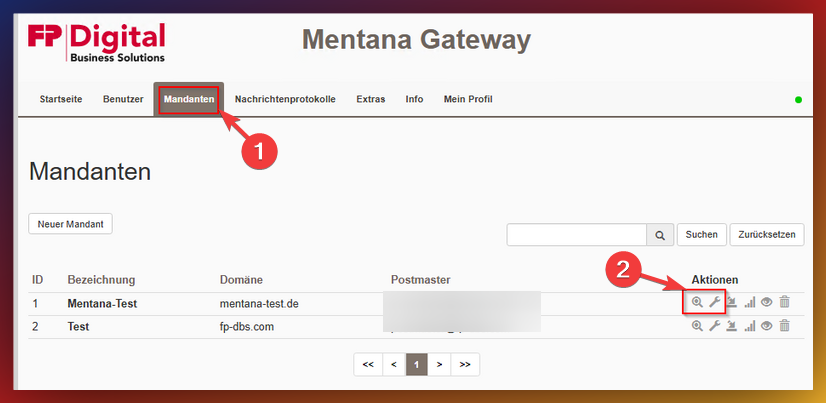
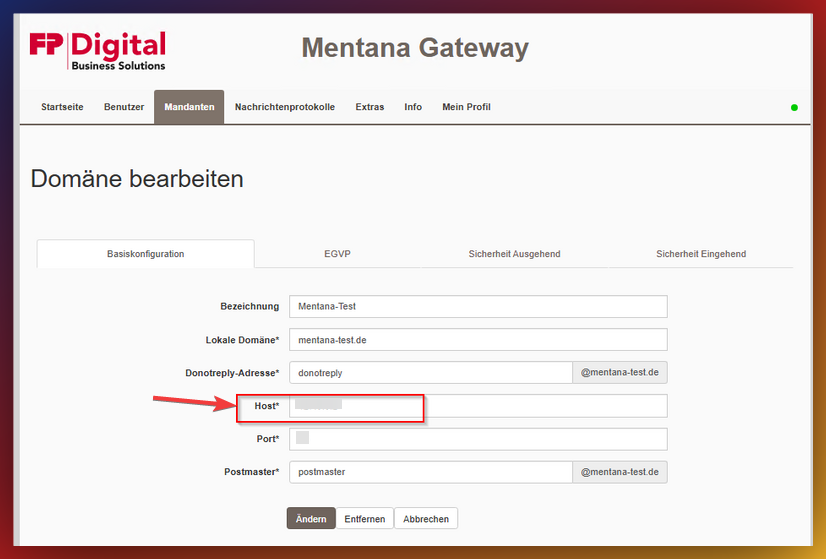
These changes take effect immediately - all incoming messages then land on the entered host.
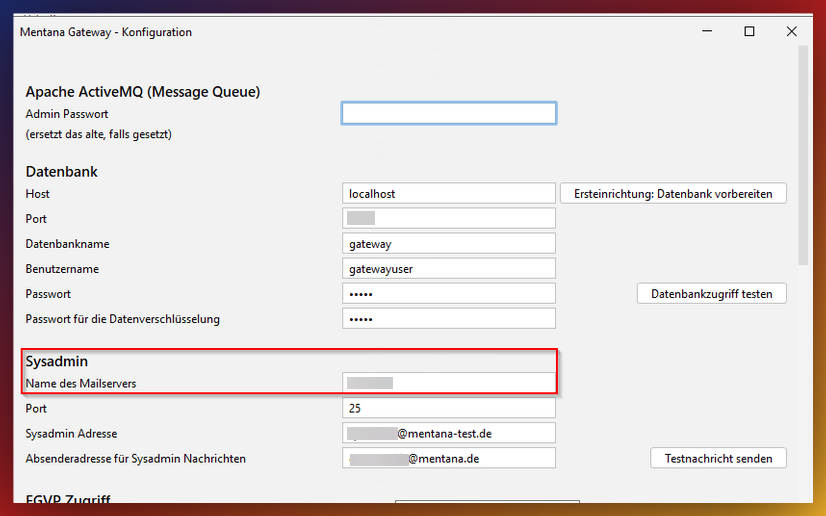
Adjust Sysadmin configuration: Additionally, the configuration for the Sysadmin may need to be adjusted. The "Gateway Configuration" application is used for this. This is started, and navigation proceeds to the settings for the Sysadmin.
Subsequently, the changes must be confirmed by clicking on "Save".
The host can be adjusted here:
Restart services: Then, the "Mentana Gateway" & "Mentana Gateway Web Console" services must be restarted.
Test Sysadmin notification: The Sysadmin notification can be tested via the web console under "Extras" → "Tools".
Start EGVP Connector again: If the test for receiving the Sysadmin notification was successful, the "Mentana EGVP-Connector" service can be started again so that EGVP messages are retrieved again.
Important Notes
Was this article helpful?
That’s Great!
Thank you for your feedback
Sorry! We couldn't be helpful
Thank you for your feedback
Feedback sent
We appreciate your effort and will try to fix the article